
A New Way To Schedule an Absence
Meet Whereabouts!
For a while now, we have been thinking about how to make scheduling absences and makeup days easier for our families. We love talking with you in the office, but we wanted to give you another option.
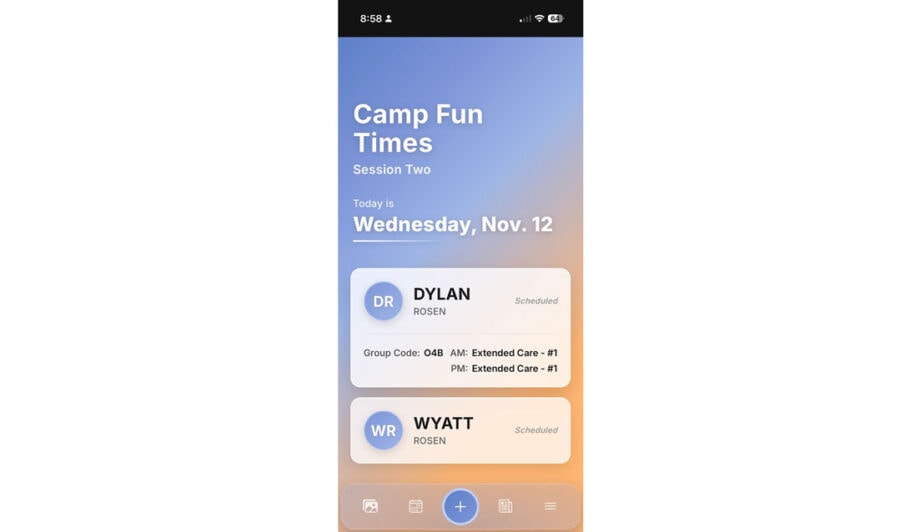
We are excited to introduce Whereabouts, the new name for our attendance app. Built from the ground up by camp people, for camp people, Whereabouts helps us manage each camper’s day with confidence, clarity, and care. From transportation changes and absences to early pickups, it keeps our team and your family on the same page.

What you can do in the Whereabouts parent app
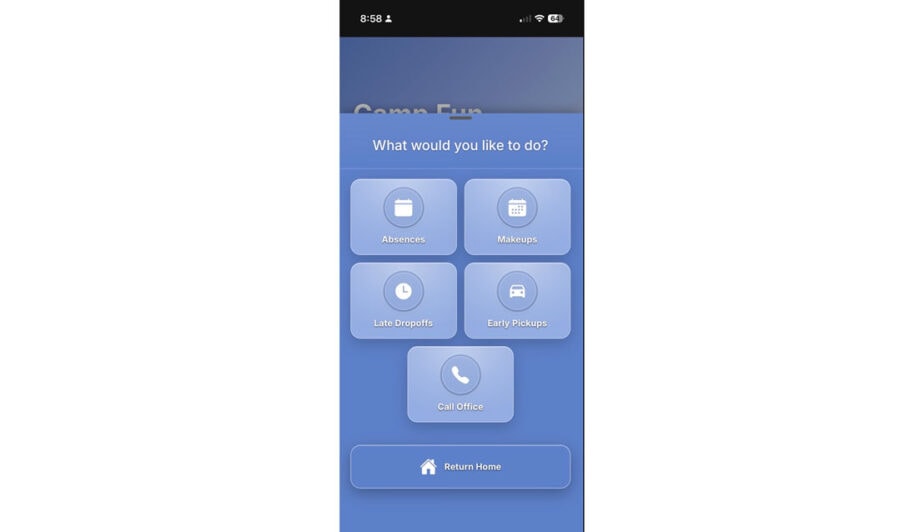
Here are the main ways you will use the app with Camp Kinneret:
-
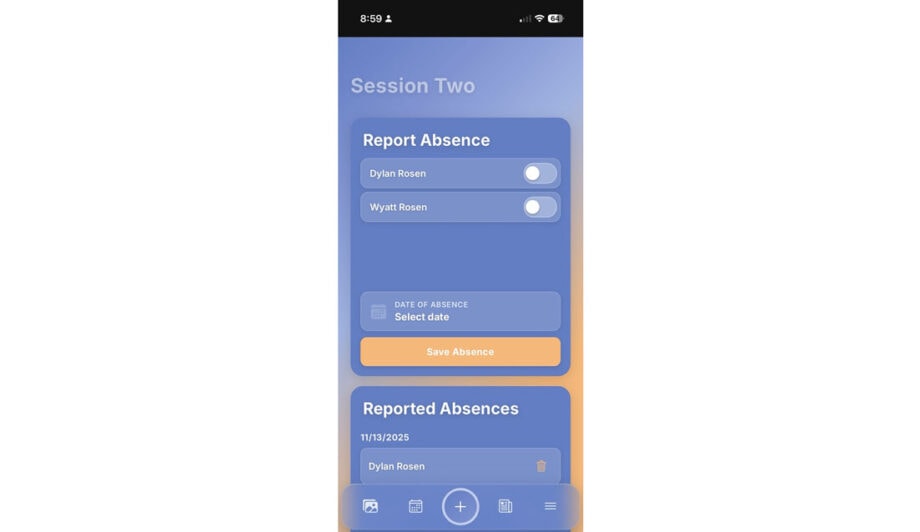
Schedule an absence
You can schedule an absence the morning of or ahead of time in the app. This will add a credit to your account that can be used for a makeup day. If plans change, you can also cancel an absence right in the app.
-
Drop off late
If your camper has a morning appointment or you just need a slower start, you can let us know you will be arriving late from a preset list of times. This helps us know who is still on the way and makes arrival smoother for everyone.
-
Pick up early
If you need to pick your camper up before regular dismissal, you can schedule that early pickup in the app so our staff is ready and your camper is in the right place at the right time.
-
Change the stop on your same bus route
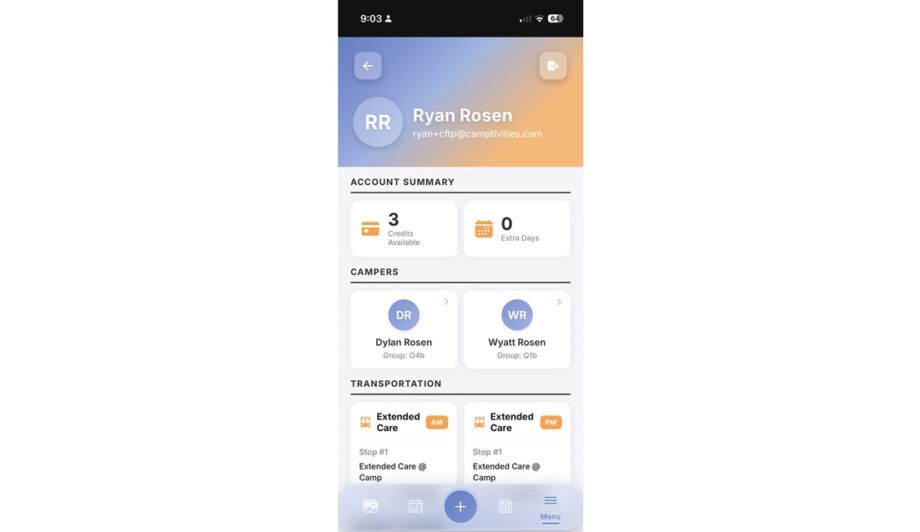
If you need to use a different stop on your camper’s regular route, you can update that in the app. You can choose another stop on the same route for either drop off or pick up. The app can even give you a link to get directions to the new stop.
-
Change to pick up or drop off at camp
If you need to drive your camper to camp or pick them up at camp instead of using the bus, you can let us know the day of or ahead of time right in the app.
-
View program photos
With our photo integration, you can see pictures from the summer directly inside the app. If you choose, you can use facial recognition tools to make it easier to find photos of your camper.
-
Read news and updates
You can receive camp news, reminders, and important updates in a simple newsfeed. Information can be tailored by group and bus route so you see what is most relevant to your family.
-
Check the camp calendar
You can view upcoming events, theme days, and reminders in the app’s calendar so it is easier to keep track of what is happening at camp.
Why we use Whereabouts
At the heart of Camp Kinneret is your child. Whereabouts helps us manage each camper’s day so staff can spend more time focusing on relationships and less time buried in lists and phone calls.
- Parents get peace of mind with a reliable way to communicate last minute changes and see what is happening.
- Staff can see accurate information in real time so they know who is expected, where campers should be, and how they are getting home.
- Our office team spends less time on manual logistics and more time supporting campers, staff, and families.
We piloted this app at camp and have continued to refine it each summer. While it handles the vast majority of changes easily, we may still tweak and improve features as we go. Our team is ready to help if something is not working quite right.
Ready to Claim Your Account?
Your Whereabouts account is synced to the email addresses you provided when you registered your camper.
If you need to change the email on file, please call the office and we will update it for you.
To claim your account:
-
- Scroll to the bottom of this page.
- Click Agree to confirm you are opting in to receive texts related to your child’s attendance.
- Follow the instructions in the email you receive to set your password and log in.
- Once you have claimed your account, you can save the app to your phone’s home screen so it feels just like using any other app.


Answers to a few commonly asked questions about the Whereabouts app
Your account is synced with the email addresses you provided when you registered your camper. If you need to make a change, please give us a call!
No. You are always welcome to call the office to make any scheduling changes. The app is an additional tool that many families find helpful.
Your verification code is sent to the email address you used when you enrolled your camper. Please check your spam or junk folder. If you no longer have access to that email address, give us a call and we will update your account.
For safety reasons, you must call the office to add or change approved pickup people. We will confirm your information and update the list on our end.
We looked at many different options and they were all missing pieces that we felt were important for camp. Whereabouts was designed to work for parents, bus staff, group counselors, and our office team so that everyone is using the same information in real time. It lets us keep camp tech light for campers while still giving adults the tools they need.
Once You’ve Claimed Your Account
follow these instructions to save our web app on your Home Screen
- Open Safari.
- Go to ck.camp/app.
- Tap the Share button on the bottom of the screen.
- Scroll down and tap ‘Add to Home Screen’.
- Confirm the name and tap ‘Add’.
- Open your phone’s default browser.
- Go to ck.camp/app.
- Tap More (the three dots) on the right side of the address bar.
- Tap Add to Home screen.
- Follow the on-screen instructions to finish installing.
Ready to Claim Your Account?
We will be opening access to the app soon! We will send an email when it is open!